How Mylance works

    Turn your experience into LinkedIn posts, step by step.

    Mylance is for B2B founders and independent experts who already have the ideas. Bring your notes, calls, newsletters, and drafts. Mylance helps you shape them into posts in your voice, edit the result, and get it onto LinkedIn.

    1. Add what you know

    Bring source material, not a perfect prompt

    Paste text, upload a PDF, DOCX, or TXT file, record a voice note, or add a call or podcast transcript and choose the speaker whose ideas you want to use. Notes, articles, newsletters, and existing drafts all work as source material.
    2. Choose an angle

    Start from your positioning

    Mylance organizes prompts, narratives, and drafts around your positioning and the material in your account. Paid members also get a 30-minute positioning call before full paid access. The free plan does not require a call.

    3. Write and edit

    Use a draft or write it yourself

    You can write from a prompt, ask Mylance for a draft, or combine both. Edit the post in Mylance before anything goes out. Recorded edits can later be incorporated into writing rules, but one edit is not a promise of an instant change to every future draft.

    4. Publish

    Approve, schedule, or post

    Free and Self-Serve posts do not publish until you approve them. You can publish directly to LinkedIn or schedule posts in the content calendar. Done For You posts are scheduled for you, and you can edit or unschedule them before publication.

    Inside the product

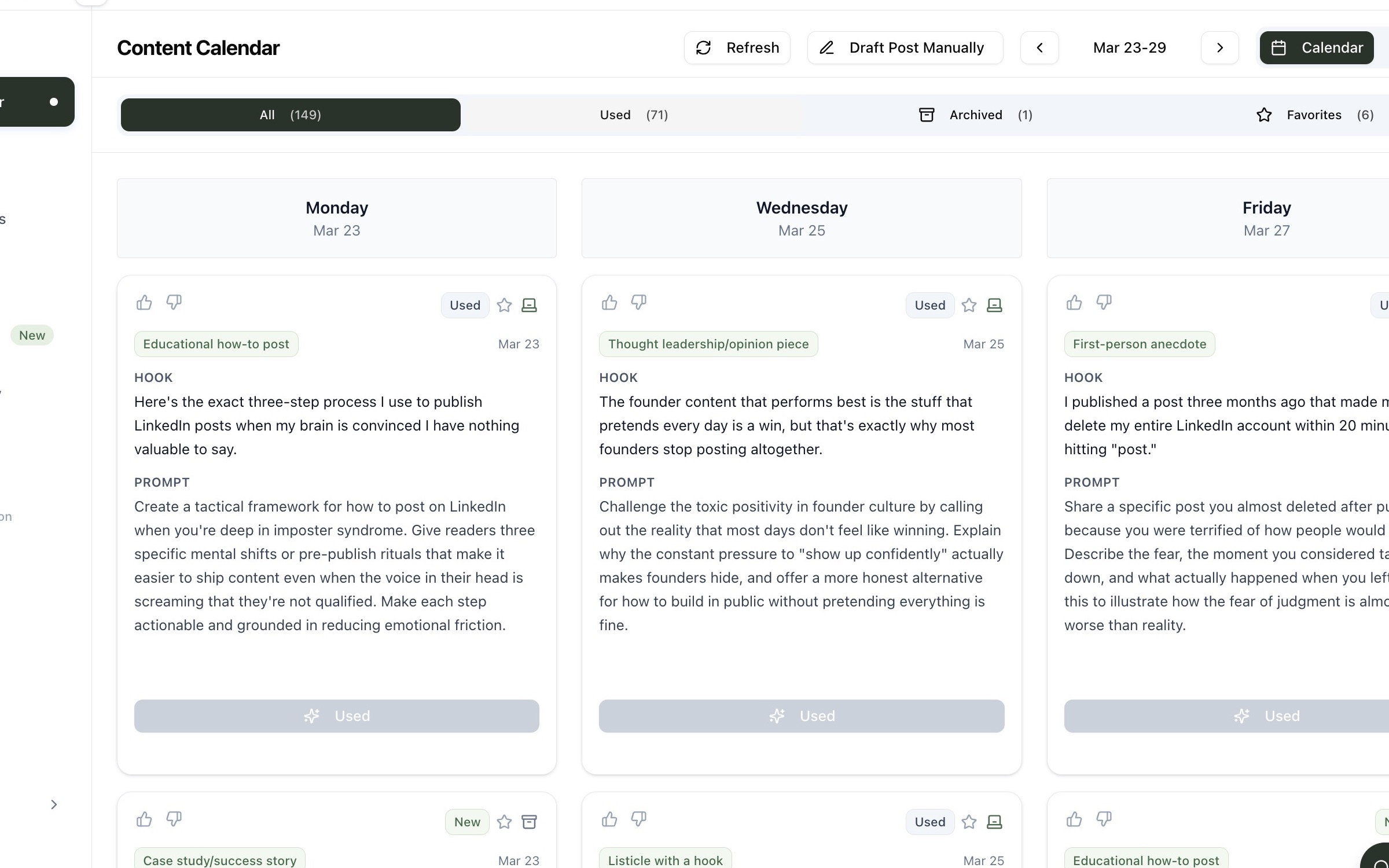
    Your ideas, drafts, and calendar in one place

    Mylance content calendar showing prompts and scheduled LinkedIn post ideas
    The content calendar keeps prompts, drafts, and publishing status visible.
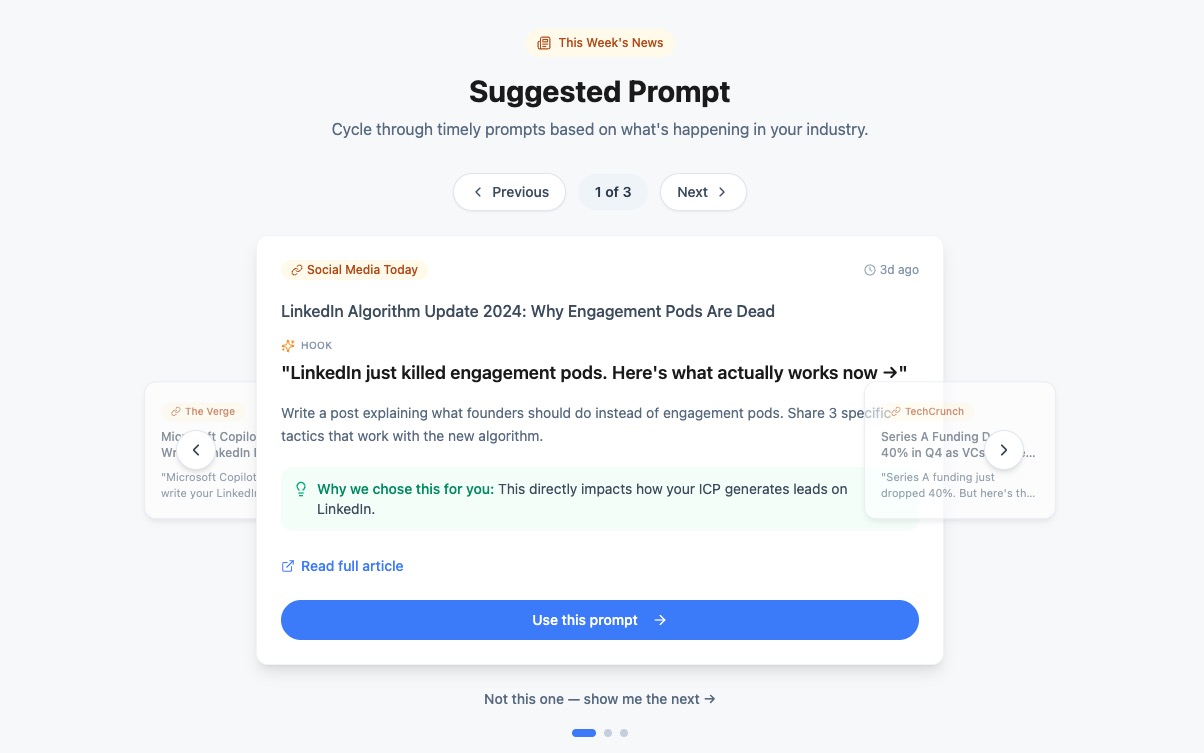
    Mylance suggested prompts based on the user's content strategy
    Suggested prompts give you an angle to accept, change, or ignore.

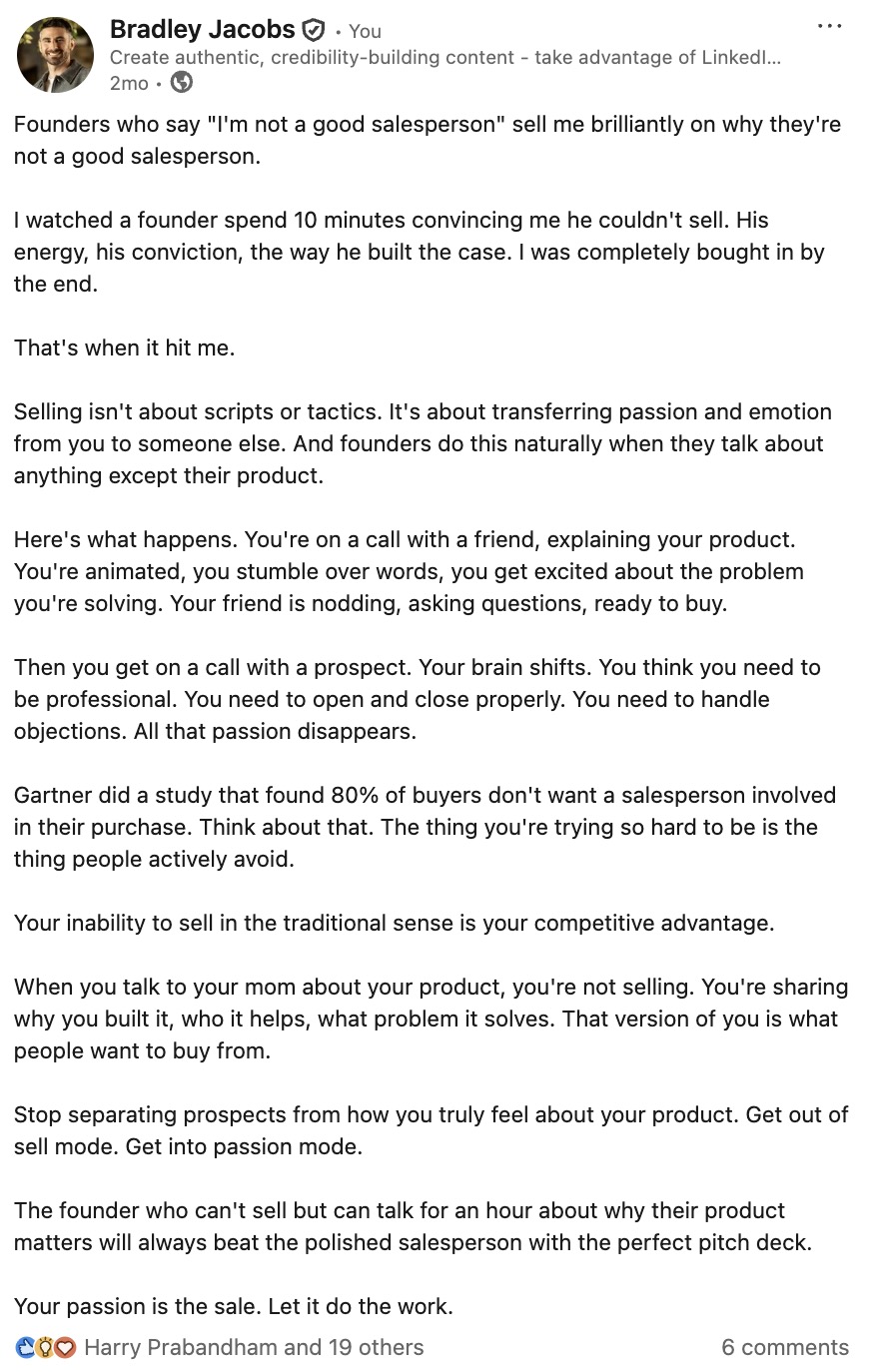
    A real published example

    The source was a founder conversation. The final became a specific story.

    Bradley started with a moment from a sales conversation: a founder said they were not a good salesperson, then immediately made a convincing case for why. The published post turns that observation into a lesson about selling without a script.

    Why there is no reconstructed draft here

    The approved asset set includes the published post, but not the original generated draft or its edit history. We are showing the real final post instead of inventing a before-and-after sequence.

    Published LinkedIn post by Bradley Jacobs about selling without a script
    A real published post from Bradley Jacobs.

    Free plan

    Start without a call or card

    Free is $0. No call is required. Current limits are 2 published or scheduled posts per month, 3 prompts per week, 4 narratives, 4 writing-profile items, 2 source-content uploads, and 7 days of writing-profile edits.

    Compare all plans

    What is Mylance, and who is it for?

    Mylance is LinkedIn content software for B2B founders, consultants, and fractional executives who have useful experience but need a repeatable way to turn it into posts.

    How does writing-style learning work?

    Mylance stores a writing profile built from your LinkedIn posts, samples, and source material. It can also record edits and incorporate recurring preferences into writing rules. That profile persists in your account between sessions.

    Does post performance change recommendations?

    Connected LinkedIn analytics show which posts resonate. Those signals can inform recommendations, but Mylance does not claim that every metric automatically retrains every future draft.

    How is this different from a general-purpose AI assistant?

    A general-purpose assistant can draft from the context you provide in a chat. Mylance keeps your positioning, source material, writing profile, drafts, editing, calendar, and LinkedIn publishing in one workflow.

    Bring one idea. Leave with a clearer next post.

    Start free, add your LinkedIn profile, and build from material you already have.

    Start free